Overview
On this page
Settings
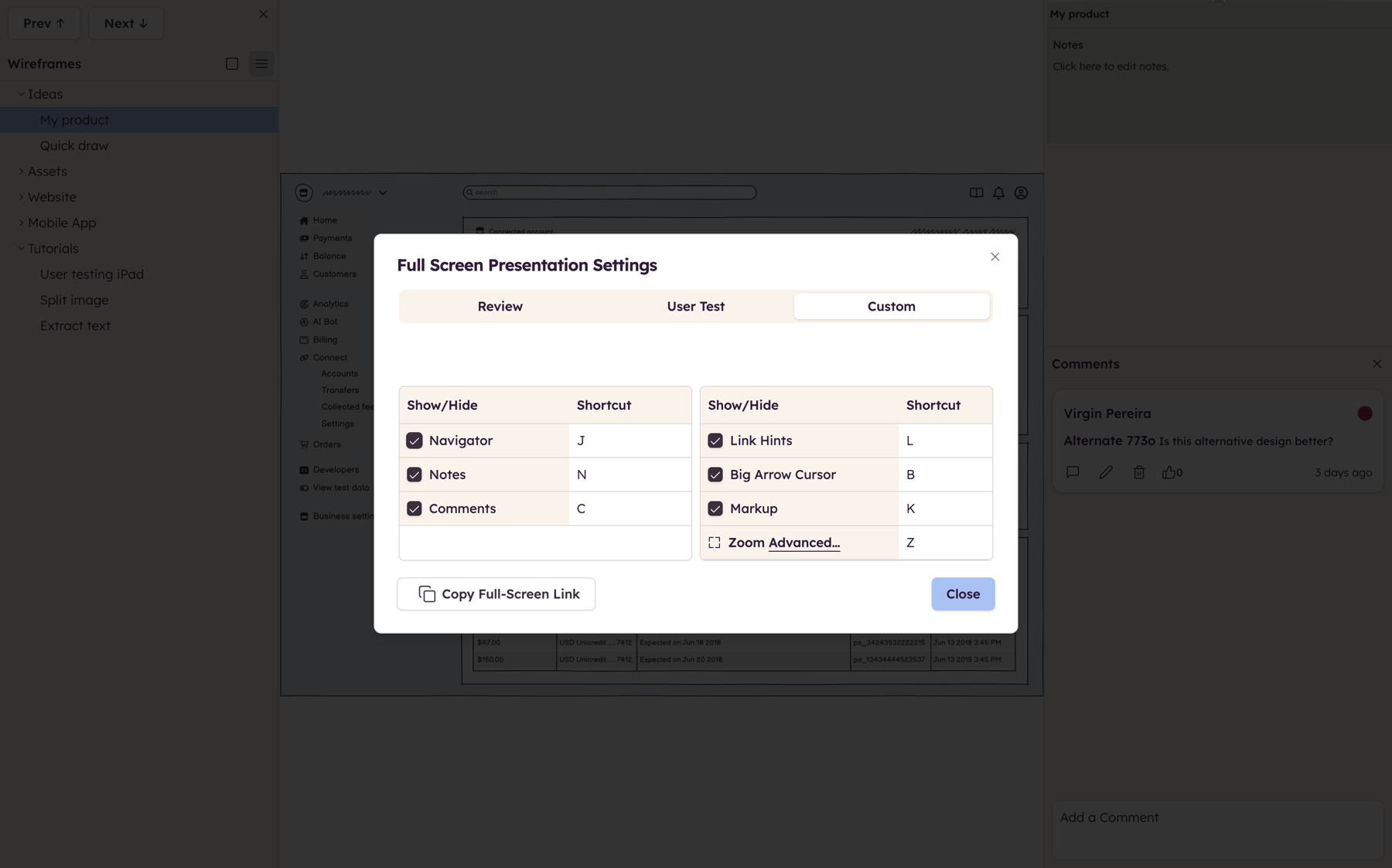
When Full Screen Presentation Mode first opens, you will be presented with a screen similar to the one above, allowing you to define your preferred settings and get everything ready for your presentation. More details here
Boards panel
On the left side of the screen, you'll find the Boards panel. It is functionally identical to the Boards panel in the main editor. You can use it to navigate your project (if you aren't using linking), or you can use it to rename/duplicate/delete boards.
Notes and comments
On the right side of the screen is the Notes and Comments section. The top portion of this panel displays any board notes you have added to your board. The bottom portion will display any comments that have been added to your board. Users can also add notes and comments if this panel is enabled.